See your team's day and every company PC, in one place.

Zotula turns check-ins, activity and device health into a clear picture of the working day. People check in from their PC, the browser or their phone. You see who is working right now, how the day went and whether every company computer is healthy, and you can fix one without a call.

Free for teams of up to three. Pro is free for the first 14 days, or 30 days with the code TRY30.

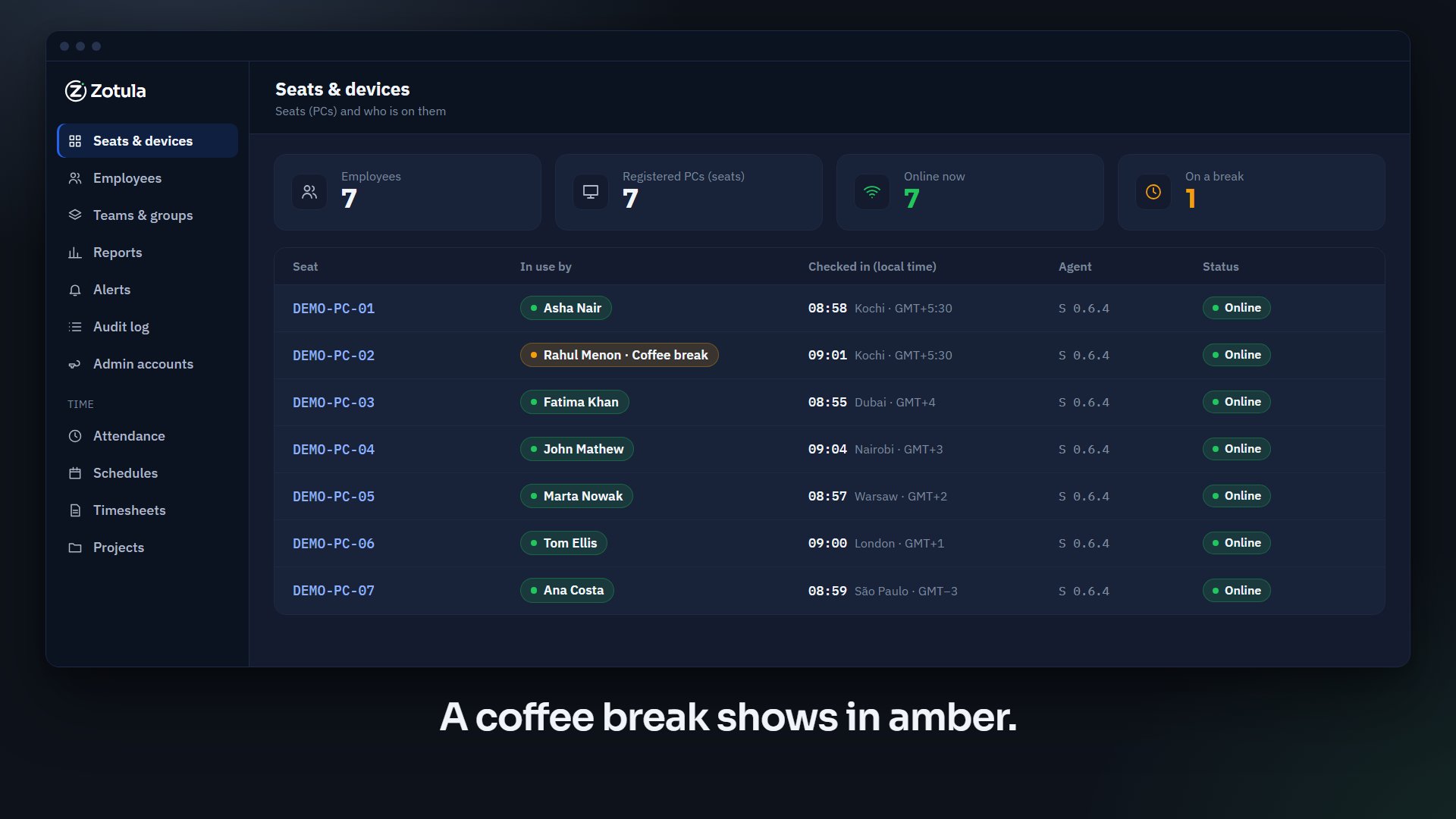
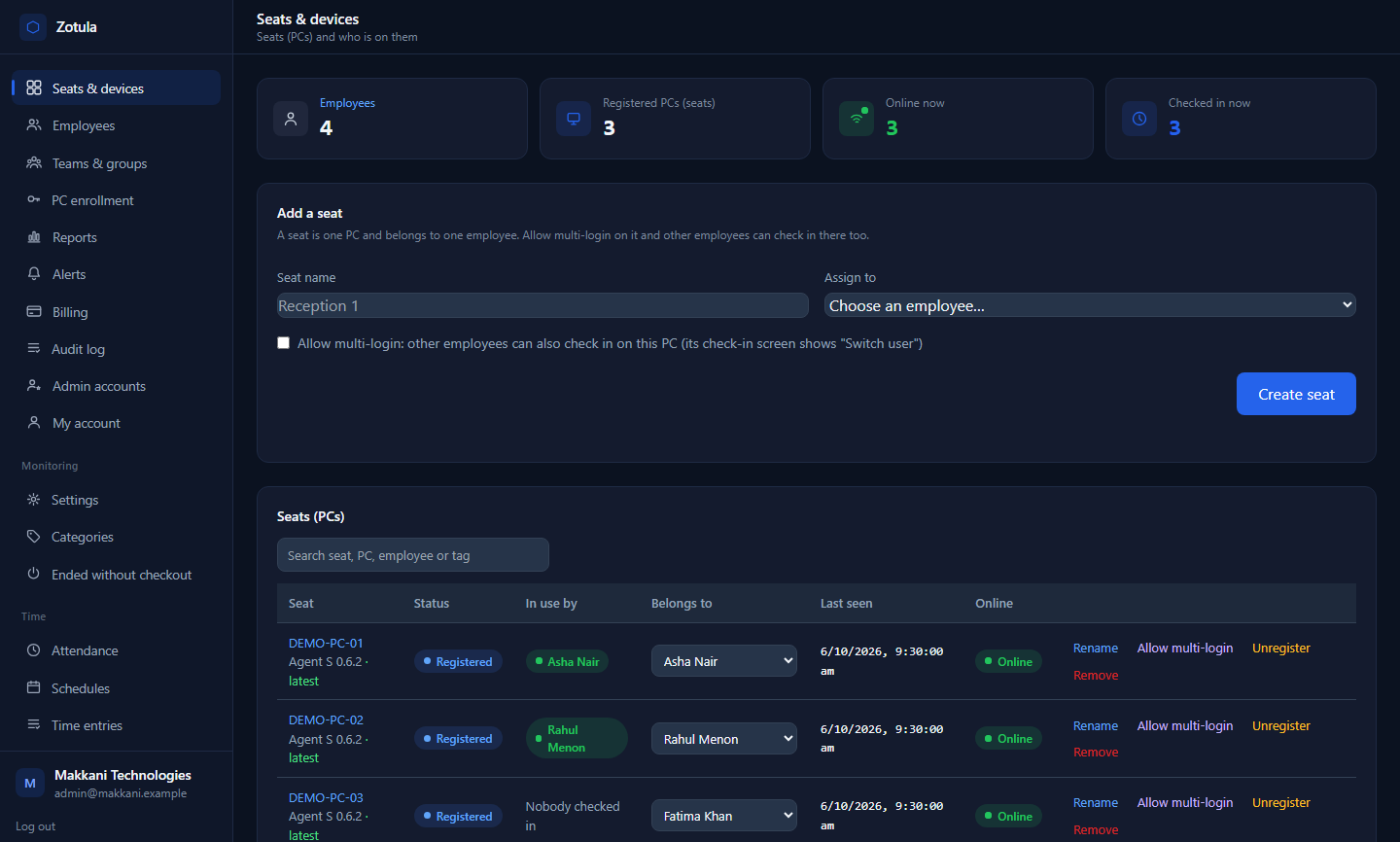
The Zotula admin console: seats and devices, with who is online and checked in right now

Everything a remote company needs to see, in one product.

One agent on each Windows PC, one portal for employees, one console for you. Attendance, activity and device health share the same record, so you never reconcile three tools.

Time and attendance

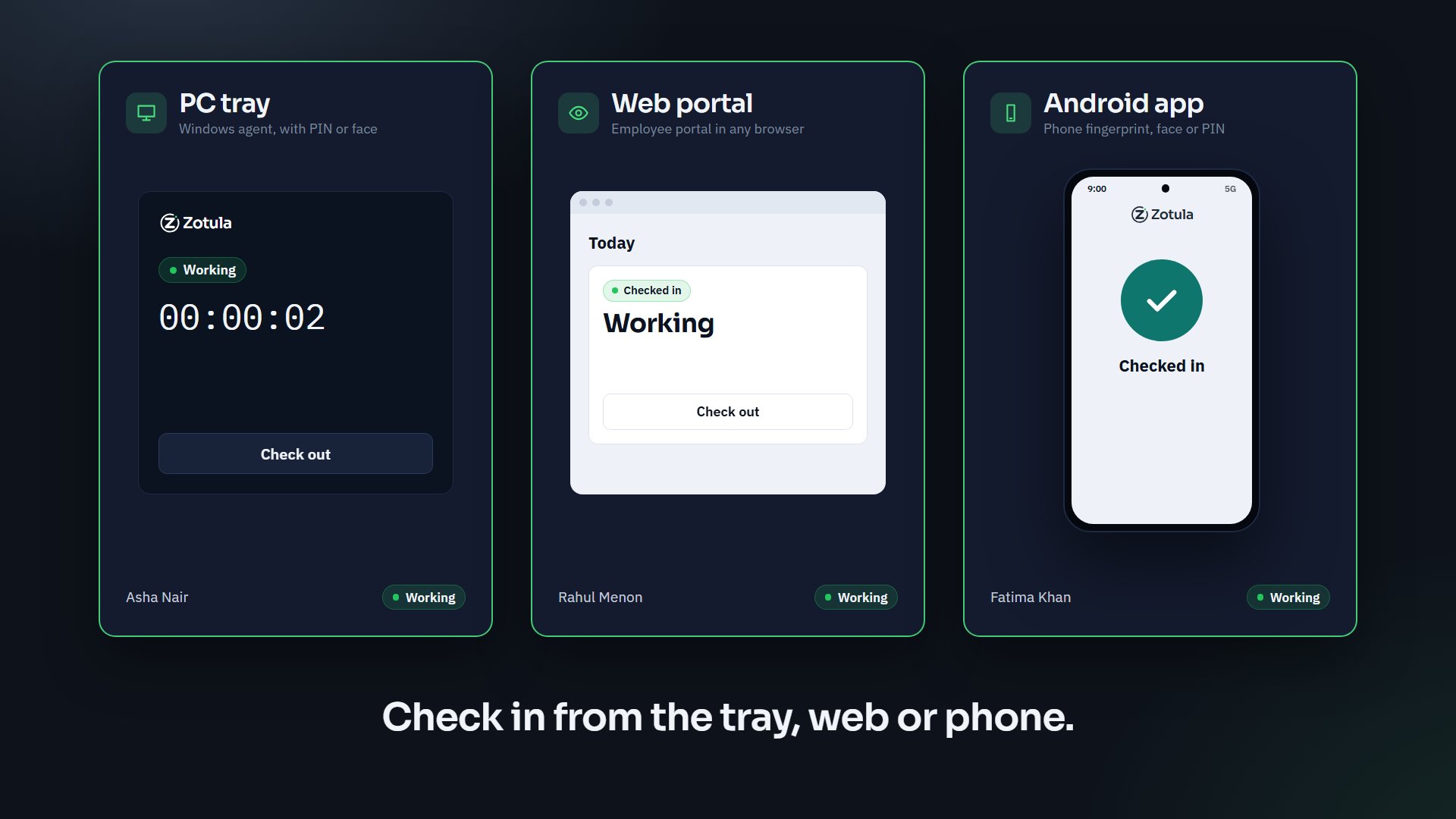
  • Check in on the PC, in the browser or on the phone
  • Working, coffee break, medical, personal, official
  • Schedules, late starts, early finishes and overtime
  • Timesheets from real time; managers approve the week
  • Time against projects and clients
Company PCs

  • Every PC online or offline, in real time
  • Hardware, Windows version, apps, processes, services
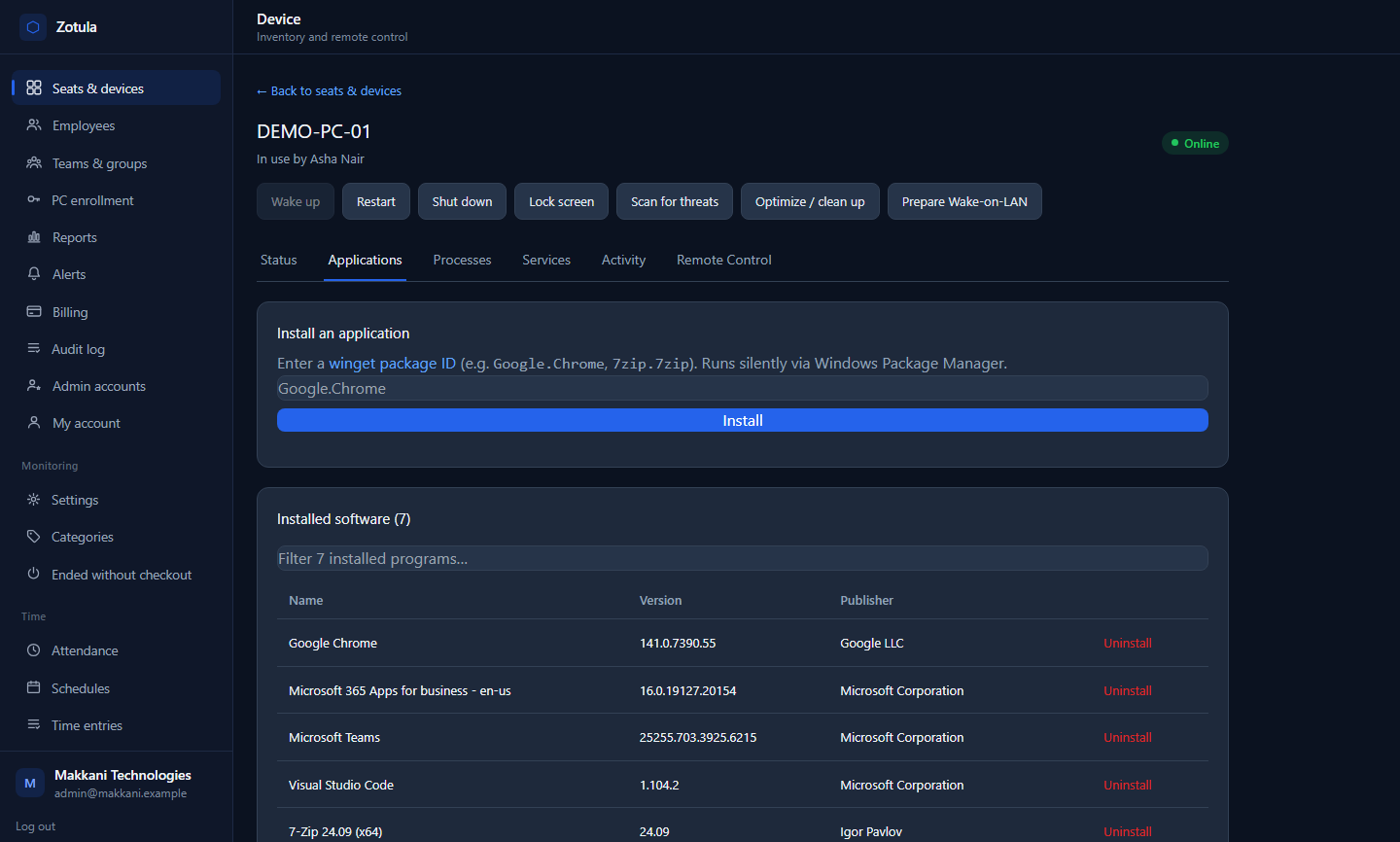
  • Restart, lock, scan, clean up, install or remove apps
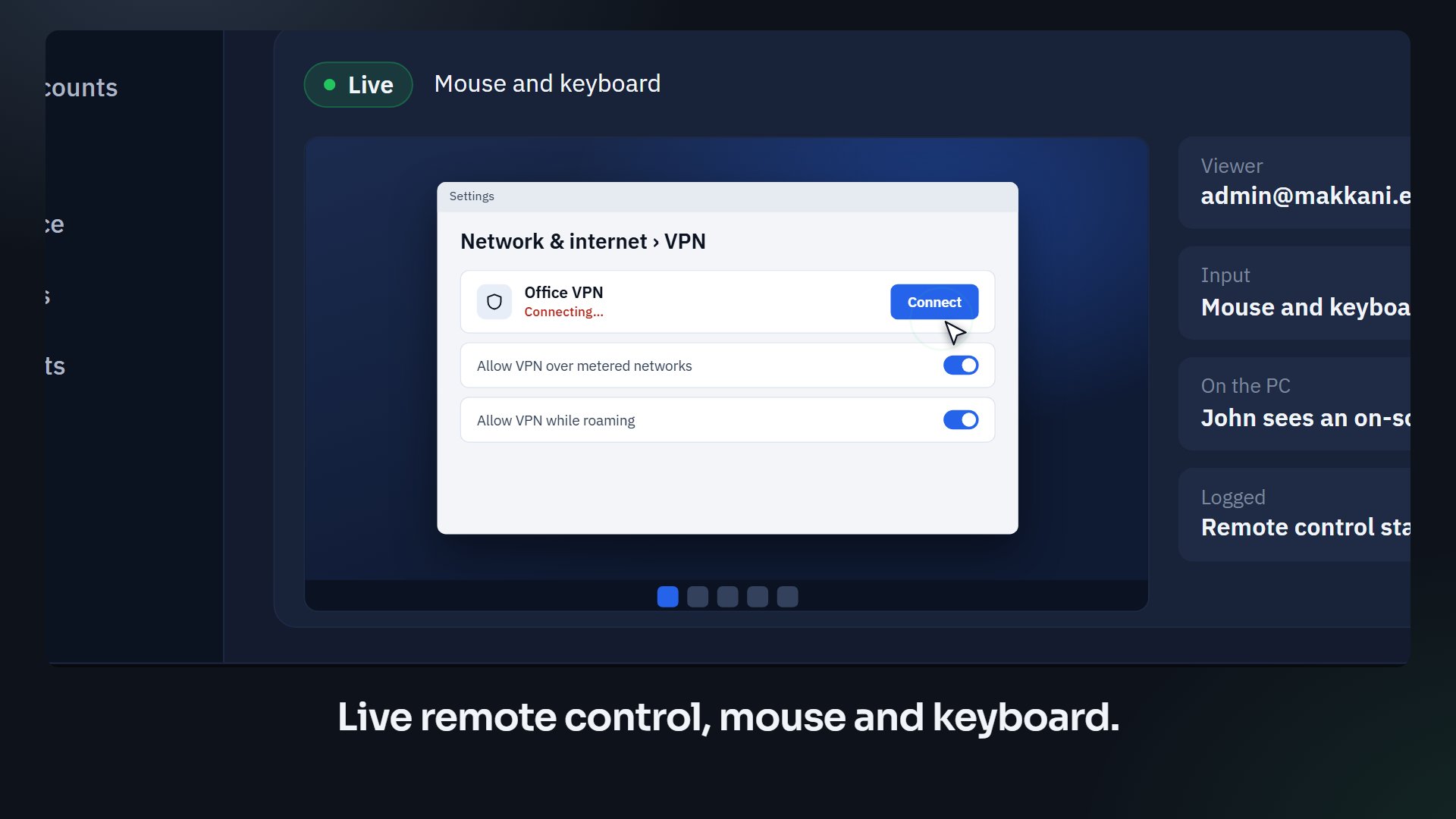
  • Live remote control from your browser
  • The agent updates itself, in stages you control

Monitoring people can see

  • Everyone reads and accepts a notice before anything is recorded
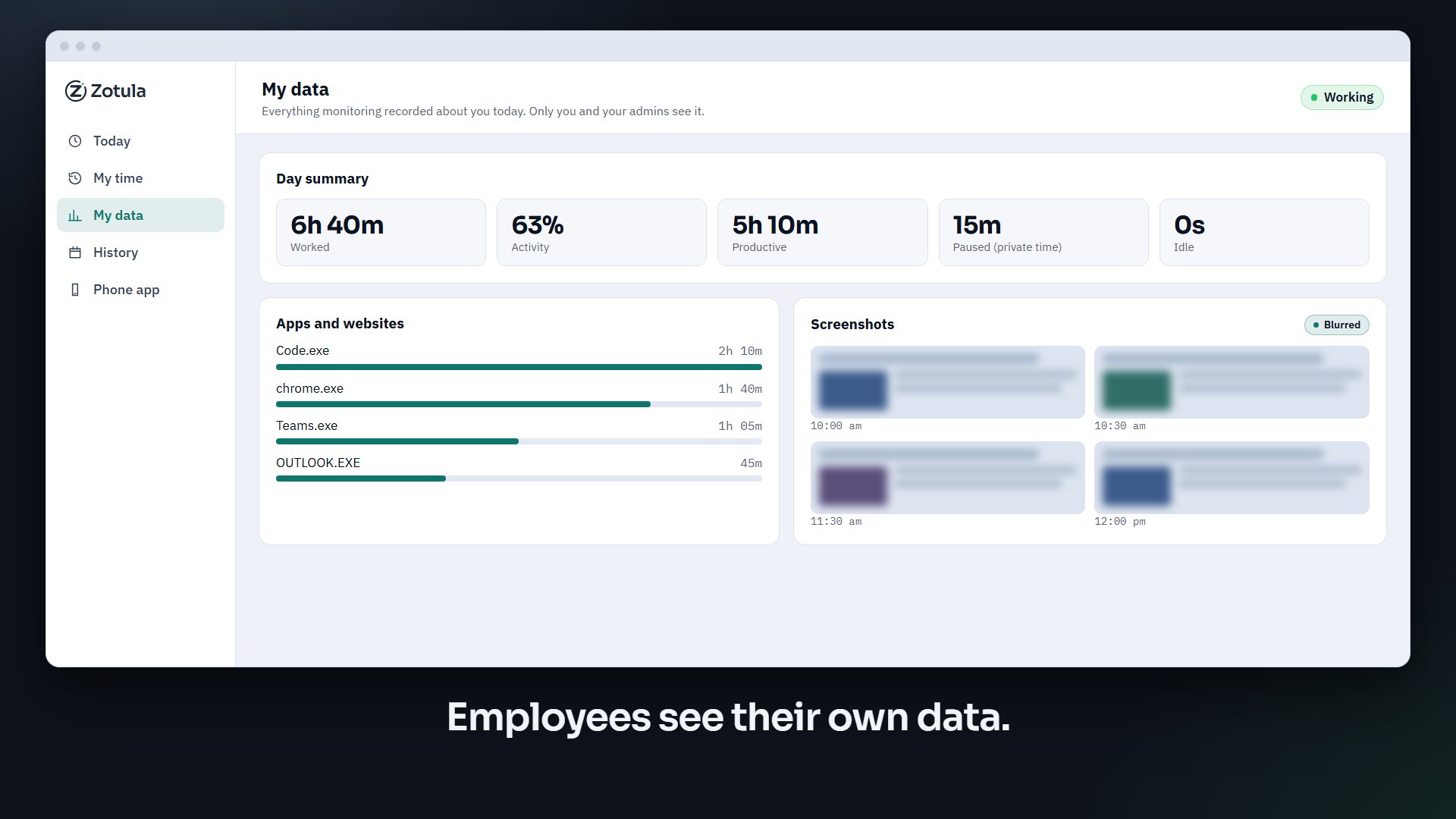
  • "My data" shows each person exactly what you see
  • Private time pauses monitoring at the press of a button
  • Screenshots off, blurred or clear, at the interval you choose
  • An audit log of every admin action that nobody can edit

Two teams, one product.

The people who run the company and the people who run its computers look at the same data, each from their own side.

For the people side

Running attendance, hours and productivity for a team you don't see in person? Zotula is built for founders, operations, HR and team leads.

  • Who is working right now, on a break, or done for the day
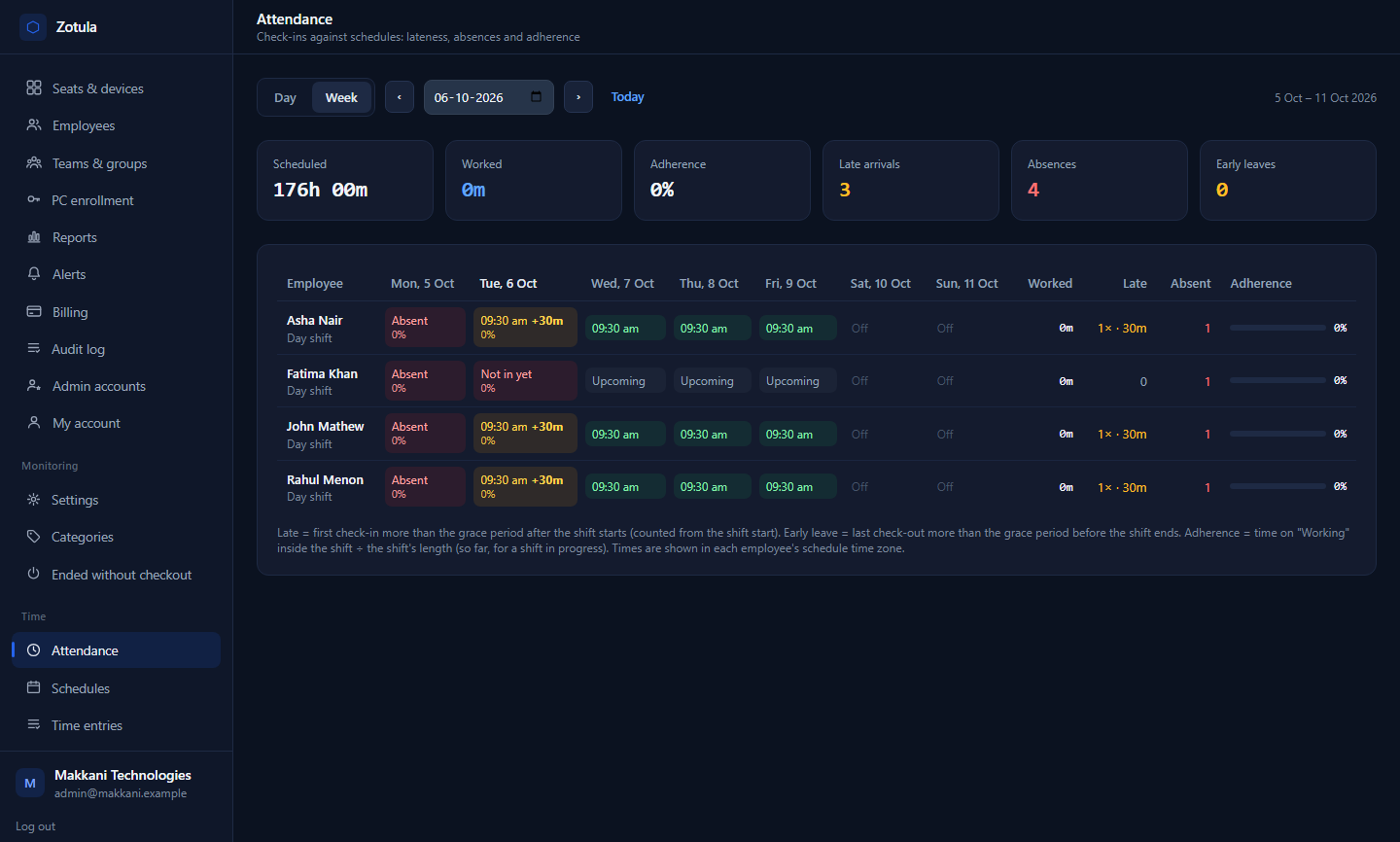
  • Attendance by week, with late and absent days marked
  • Apps and websites by category, with idle time worked out
  • Team and person reports as CSV or PDF, and a daily digest by email
The attendance week view
See attendance in action

For IT

Looking after PCs you can't walk over to? Zotula is built for the IT lead or the managed-service partner who keeps a remote fleet healthy.

  • Enrol a PC with a link or a token; the agent installs silently
  • Full inventory, and commands with live progress
  • Remote control with mouse and keyboard; the user sees a notice
  • Roles, two-step sign-in and an audit log for the admin side
A PC's installed applications in the device console
See company PCs in action

Built for how remote teams actually work.

Specific, not vague: these are the things Zotula does today.

Three ways to check in

The tray app on the PC with a PIN or a face check, the employee portal in any browser, or the Android app with a fingerprint.

A live board

Who is working, on a break or offline, which PC they are on, and which agent version it runs, updated as it happens.

Timesheets and schedules

Hours come from check-ins and activity. Set working hours per person or team; late, early and overtime are worked out for you.

Reports, digests and alerts

CSV and PDF reports, a daily digest by email, and six kinds of alert: late check-in, no check-in by a time, idle too long, device offline, a blocked site, a day ended without checkout.

Remote control and inventory

See the screen and use the mouse and keyboard. Restart, lock, scan for threats, clean up, install any app by name, wake a PC on the network.

Privacy by design

A notice first, "My data" for every employee, private time, screenshots you can switch off or blur, apps and sites that are never recorded, and retention you set.

See Zotula in action.

Short films of the real product. The tour follows one working day from the first check-in to an approved timesheet.

39 s

A day in Zotula

Check-in on the PC, the team board filling up across time zones, a coffee break, a laptop fixed by remote control, and the week's timesheet approved.

12 s

Attendance

Three ways to check in, a status change mirrored on the admin board, the day's timeline and the attendance week.

12 s

Company PCs

The fleet board, a PC's inventory tabs, a threat scan, an app installed by name, and a live remote-control session.

10 s

Privacy

The monitoring notice, an employee's own data, private time, and the audit log.

Right now, across your team.

This is what a manager sees: everyone's day on one clock, wherever they are. The board below is a sample team drawn on your own time, so what you see is happening now.

Today A sample team, shown on your clock
working on a break off for the day

One picture, five points of view.

Each role gets an answer to the question it asks every day, from the same record.

Founders and COOs

Who is working right now, anywhere in the world, and did the week match the plan?

Operations

Did hours match schedules, and where did the time go by project and client?

HR

Can people see what we record, and is attendance fair and consistent?

IT

Is every company PC online, healthy and up to date, and can I fix one from here?

Team leads

How did my team's day go, and who needs a hand?

Secure by design, not by promise.

What protects your account and your people's data, as built.

  • Encrypted connectionsEvery PC and phone talks to Zotula over TLS, outbound only.
  • PC keys stored only as hashesA stolen database reveals no working device key, and keys rotate safely.
  • Two-step sign-inAuthenticator-app codes for every admin, with recovery codes.
  • Four rolesOwner, admin, manager and viewer. A manager sees only the people who report to them.
  • An audit log nobody can editWho viewed, changed or exported what, and when, in a log that accepts no edits or deletions.
  • Sign-in throttlingRepeated wrong passwords are slowed down and locked out.

Pay per person. Start free.

Every plan includes check-in, attendance, activity, screenshots with blur, the employee portal, the phone app and PC management. Use the code TRY30 when you sign up for 30 days of Pro for up to 30 people.

Free

$0

For up to 3 people, for as long as you like.

  • Check-in on PC, web and phone
  • Attendance and activity
  • PC inventory and remote control
Create a free account

Starter

$5 per person a month

Billed yearly. Any team size.

  • Everything in Free
  • Unlimited people and PCs
  • Apps, websites and screenshots
  • Roles, two-step sign-in, audit log
Talk to us

Prices in US dollars, before tax.

Questions people ask first.

Can employees see what is recorded about them?

Yes. Before monitoring starts, each person reads and acknowledges a notice that says what is collected. Afterwards, "My data" in the employee portal shows them the same time, apps, sites and screenshots their manager sees. Private time pauses monitoring whenever they need it.

Can we turn screenshots off?

Yes. Screenshots can be off, blurred or clear, taken at an interval you choose, per organization. Apps and websites you list are never recorded at all, and everything is kept only as long as your retention rule says.

Which devices does it work on?

The Zotula agent runs on Windows 10 and 11 PCs. Employees can also check in from the portal in any browser, and from the Zotula app for Android with a fingerprint.

How do PCs get enrolled?

Send an enrolment link or token. The agent installs silently, connects outbound only over TLS, and updates itself in stages you control, so a new version reaches a few PCs before it reaches all of them.

Who can see what?

Four roles: owner, admin, manager and viewer. A manager sees only the people who report to them; a viewer sees everything and changes nothing. Every admin action goes into an audit log that cannot be edited.

How do we start?

Create your account: company name, your name, work email and a password. We send one email to confirm the address, and your organization is ready with you as its owner. No phone number, no card. Teams of up to three are free, Pro is free for the first 14 days, and the code TRY30 makes that 30 days for up to 30 people. If you'd like a guided start, write to us and we'll enrol the first PCs with you.